
Easily Manage Your Payments Through TRA’s Bill Pay Website
A Faster, Easier Way to Pay Your TRA Invoices:
TRA now offers an automated payment option through our secure Bill Pay website. This feature allows you to set up a preferred payment method—ACH, debit card, or credit card—and automatically pay your invoices either 1 day or 10 days after they are generated.
Automated payments provide:
- Convenience – No manual processing required
- Flexibility – Choose your timing: next-day or 10-day payment
- Security – Store payment methods safely in our encrypted portal
How to Enroll in AutoPay:
-
▾
Step 1: Visit the Bill Pay Website
Log In – Visit billpay.tra401k.com/ and sign in to your account
-
▾
Step 2: Open Autopay Enrollment
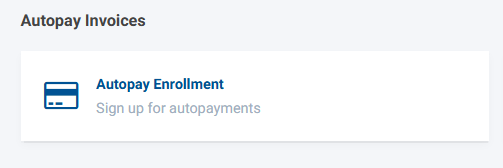
- Select “Autopay Enrollment” from the main screen
-
▾
Step 3: Choose Your Payment Method
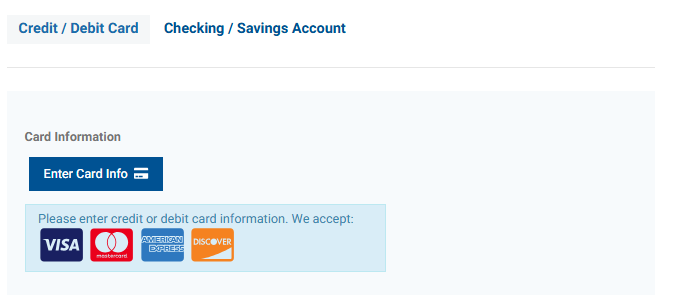 Select Credit / Debit Card or Checking Account (ACH)
-
▾
Step 4: Select Your Payment Timing
 Choose when TRA should process your payments: 10 days after invoice generates or 1 day after invoice generates
-
▾
Step 5: Enter Email Addresses
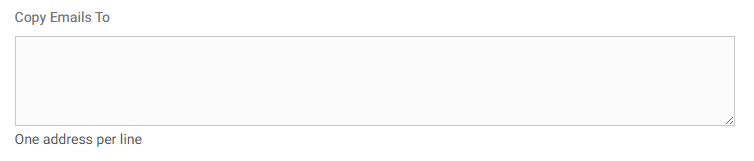 Add the email address(es) where payment receipts should be sent
-
▾
Step 6: Complete Enrollment
 Click “Enroll Now” to finalize your setup
Need Assistance?
Please contact your client relationship manager or accounting for assistance.
Phone: 888‑872‑3264 ext. 2006
Email: accounting@tra401k.com
To ensure you receive our important emails and updates, please add tra401k.com to your email whitelist or approved senders list. This simple step will help prevent our emails from being filtered as spam and ensure you receive future communications pertinent to your plan. Thank you for choosing to stay connected with The Retirement Advantage, Inc. (TRA)®.